







































Saving FEI to Your Mobile Device
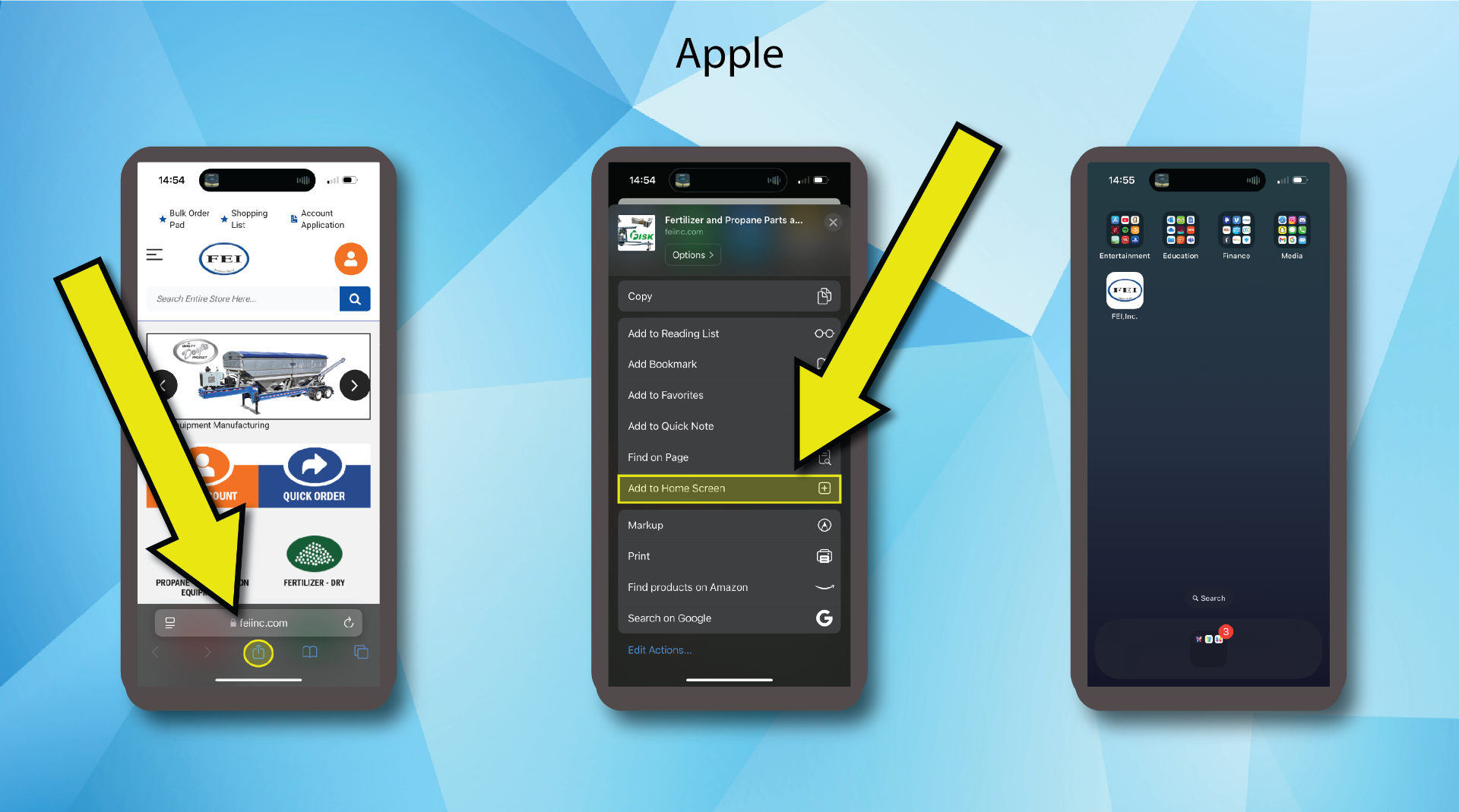
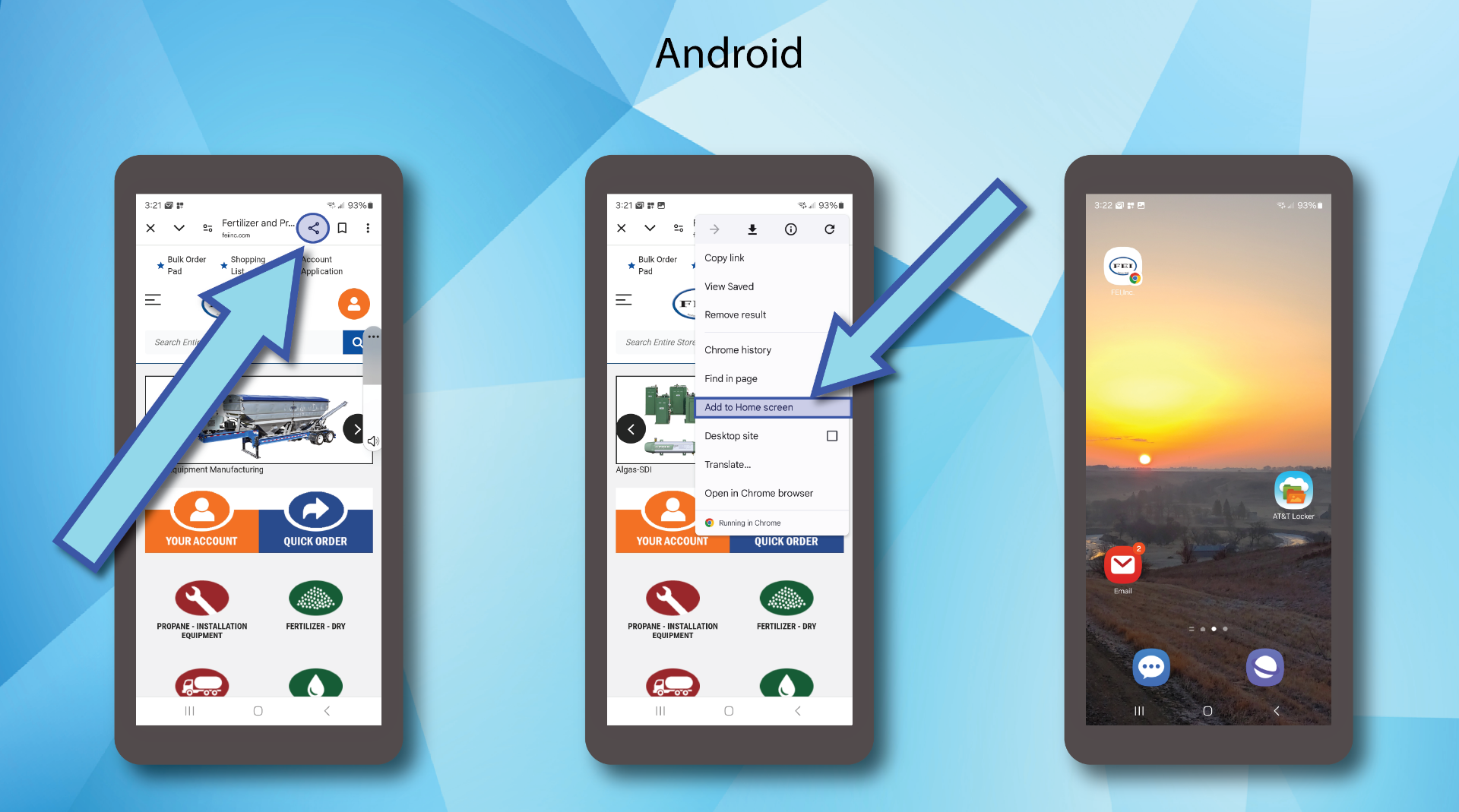
1. Using the default browser on your mobile device, open the FEI website and select the share button.
2. Scroll down the menu that opens and select Save to Home Screen if you are using an apple device you can name this shortcut before it's placed on your home screen, Android devices skip this step.
3. The FEI Icon will appear on your screen with the other apps on your phone.